
Understanding computer network and security is crucial today. Our lives are more digital than ever before.
In this blog, we explore the core concepts of computer networks and security. You will learn why these systems are vital for businesses and individuals alike. We will discuss how networks connect devices and enable communication. Plus, we will look into security measures that protect data from threats.
By the end, you will have a better grasp of how networks operate and how to keep them secure. This knowledge is key to staying safe online and ensuring your information remains private. Stay with us as we dive into the world of computer network and security.
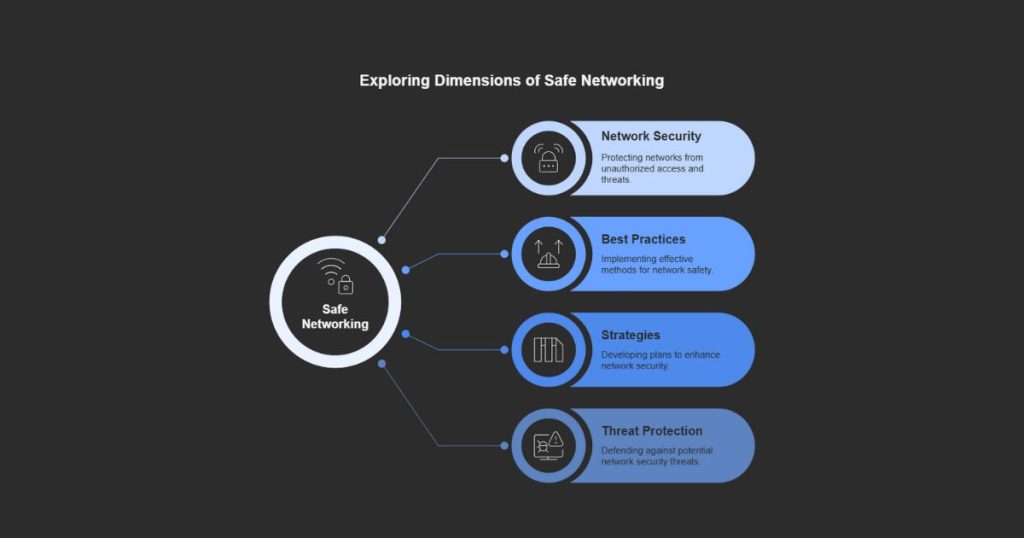
Introduction To Computer Networks
Computer networks are vital in our connected world. They allow devices to communicate. This sharing of information and resources is crucial for both personal and professional use. Understanding computer networks is the first step in grasping how our digital lives operate.
Importance Of Networking
Networking connects devices, enabling data sharing. It boosts productivity by allowing resource sharing. This includes printers, files, and internet connections. Networking also enhances communication. Emails, video calls, and messaging rely on it. Businesses depend on networks to operate efficiently.
Types Of Networks
Networks vary in size and function. Local Area Networks (LAN) connect devices in a small area. This might be a home, office, or school. Wide Area Networks (WAN) span larger areas. They connect cities or even countries. The Internet is a global WAN. Personal Area Networks (PAN) cover very short ranges. They connect personal devices like phones and tablets.
Each type serves different needs. Understanding these helps in choosing the right network for your needs. Whether for a small office or a global enterprise, there’s a network type that fits.
Key Components Of A Network
Understanding the key components of a network is essential. This knowledge helps in building a secure and efficient system. A network consists of both hardware and software elements. Each plays a crucial role in the overall structure. Let’s explore these components in detail.
Hardware Elements
Hardware elements form the backbone of any network. These include routers, switches, and cables. Routers direct data between networks. Switches connect devices within a network. Cables link different hardware components together. Each piece ensures smooth communication between devices. Without these, a network can’t function properly.
Software Elements
Software elements manage network operations. They include operating systems, security software, and network management tools. Operating systems control the hardware and software resources. Security software protects the network from threats. Network management tools monitor and optimize performance. These elements ensure the network runs efficiently.
Network Topologies
Network topologies are the backbone of computer networks. They determine the layout and structure of a network, affecting how devices communicate and how efficiently data is transferred. Understanding different network topologies helps in choosing the right one for your specific needs.
Bus Topology
Bus topology is simple and cost-effective. All devices are connected to a single central cable, known as the bus. This setup is easy to install and requires minimal cable.
However, if the central cable fails, the entire network goes down. It’s also not ideal for large networks, as performance can drop with increased traffic.
Think of it like a single lane road. If there’s a blockage, everything stops.
Star Topology
Star topology connects all devices to a central hub. The hub acts as a mediator, forwarding data between devices. This design is highly reliable; if one cable fails, it doesn’t affect the rest of the network.
But if the hub fails, the entire network is compromised. This topology also requires more cabling, increasing costs.
Imagine a wheel with spokes. If the hub breaks, the wheel can’t turn.
Ring Topology
In a ring topology, devices are connected in a circular fashion. Data travels in one direction, passing through each device until it reaches its destination. This setup is easy to manage and troubleshoot.
However, if one device fails, it can disrupt the entire network. Ring topology is less flexible in terms of adding new devices.
Picture a relay race. If one runner falls, the baton can’t reach the finish line.
Mesh Topology
Mesh topology is robust and highly reliable. Each device is connected to every other device in the network. This ensures multiple pathways for data, minimizing the risk of network failure.
It’s ideal for large networks where reliability is crucial, but it can be expensive and complex to set up due to the extensive cabling required.
Think of it like a spider web. If one strand breaks, there are many others to keep the web intact.
Which topology sounds like the best fit for your needs? Consider the size of your network, budget, and the importance of reliability.
Network Protocols
Network protocols are the rules that govern data communication over networks. They ensure that devices, systems, and applications can communicate efficiently. Understanding these protocols is crucial for maintaining network security and functionality.
Tcp/ip
TCP/IP stands for Transmission Control Protocol/Internet Protocol. It is the foundation of the internet. TCP/IP is responsible for transmitting data packets between devices. It ensures data is sent and received accurately. TCP handles the data transmission. IP addresses each packet to ensure it reaches the correct destination.
Http/https
HTTP stands for Hypertext Transfer Protocol. It is used for transferring web pages. When you visit a website, your browser uses HTTP to request the page. HTTP is not secure. HTTPS stands for Hypertext Transfer Protocol Secure. It encrypts data between your browser and the website server. This ensures your data is safe from hackers.
Ftp
FTP stands for File Transfer Protocol. It is used to transfer files between computers. FTP allows you to upload and download files. It is commonly used for website management. FTP is not encrypted. For secure file transfer, SFTP or FTPS is recommended. These protocols add security layers to FTP.
Cybersecurity Basics
Cybersecurity is crucial in today’s digital world. It protects data from unauthorized access. Understanding the basics helps keep information safe. Cybersecurity involves various practices. It defends against cyber threats. By learning these basics, you can protect your network.
Common Threats
Many threats target computer networks. Viruses and malware are common. They can damage or steal data. Phishing is another threat. It tricks users into giving sensitive information. Hackers also pose a danger. They exploit security weaknesses. Ransomware is a growing issue. It locks files until a ransom is paid. These threats can cause significant harm.
Preventive Measures
Taking preventive steps can enhance security. Use strong passwords. They should be complex and unique. Regular updates are essential. They fix security flaws. Install antivirus software. It helps detect and remove threats. Firewalls provide an extra layer of protection. They block unauthorized access. Educate users about safe practices. Awareness reduces the risk of falling for scams.
Back up data regularly. It ensures you can recover lost files. Use encryption for sensitive information. It makes data unreadable to unauthorized users. Monitor your network for unusual activity. Early detection can prevent major issues. Implementing these measures strengthens cybersecurity.
Firewall And Its Importance
Firewalls play a crucial role in computer network and security. They act as gatekeepers, controlling the flow of data between a trusted network and an untrusted one. This helps to protect your system from unauthorized access and potential threats. Understanding firewalls and their importance can help in building a secure network.
Types Of Firewalls
Firewalls come in different types, each serving a specific purpose. Packet-filtering firewalls examine packets of data and either allow or block them. They make decisions based on the source and destination IP addresses. Proxy firewalls filter messages at the application layer. They act as intermediaries between users and the internet. Stateful inspection firewalls keep track of active connections and make decisions based on the state of these connections. Unified threat management (UTM) firewalls combine the features of various firewalls and offer additional security features.
Setting Up A Firewall
Setting up a firewall is essential for safeguarding your network. First, choose the right type of firewall for your needs. Install the firewall software or hardware on your network. Configure the firewall settings to define what traffic should be allowed or blocked. Regularly update the firewall to ensure it can defend against new threats. Monitor the firewall logs to detect any suspicious activity. This helps in maintaining a secure network environment.
Best Practices For Safe Networking
In today’s digital age, keeping your computer network secure is crucial. Cyber threats are more common than ever. Following best practices ensures your network stays safe. Let’s explore some key practices to maintain security.
Regular Updates
Always keep your software up to date. This includes your operating system, applications, and antivirus programs. Updates often include security patches. They fix vulnerabilities that hackers might exploit. Set your devices to update automatically. This way, you won’t miss any critical patches.
Strong Passwords
Use strong, unique passwords for each of your accounts. Avoid common words and easily guessed information. Include a mix of letters, numbers, and symbols. Change your passwords regularly. Consider using a password manager. It helps you create and store complex passwords securely.
Secure Connections
Ensure your network uses secure connections. Use WPA3 encryption for your Wi-Fi network. Avoid using public Wi-Fi for sensitive transactions. Consider a Virtual Private Network (VPN). It encrypts your internet traffic. This makes it harder for hackers to intercept your data. Always look for “https” in the URL. It indicates a secure connection.
Future Of Network Security
The future of network security is rapidly evolving. As technology advances, so do the methods used by cybercriminals. Staying ahead requires constant vigilance and adaptation. This section explores the key areas shaping network security’s future.
Emerging Technologies
New technologies are transforming network security. Artificial Intelligence (AI) and Machine Learning (ML) are at the forefront. They help identify and respond to threats in real-time. These technologies analyze patterns and detect anomalies faster than humans can. Quantum computing also promises to change encryption methods. It offers stronger protection against cyber-attacks.
Blockchain technology enhances security through decentralized systems. This makes data tampering more difficult. The Internet of Things (IoT) introduces new security measures for connected devices. Each of these technologies plays a crucial role in creating safer networks.
Evolving Threats
As technology improves, so do the threats. Cybercriminals use more sophisticated methods. Phishing attacks are becoming more convincing. Ransomware attacks are more frequent and damaging. These threats require advanced defenses. Traditional security measures are no longer enough.
Zero-day exploits are a growing concern. These are vulnerabilities unknown to software developers. They can cause significant harm before being detected. Insider threats also pose a major risk. Employees with access to sensitive data can unintentionally or maliciously cause breaches.
To combat these threats, organizations must adopt a proactive approach. Regular updates and patches are essential. Employee training on security best practices can help prevent many threats. Keeping up with the latest security trends is vital for protecting networks.
Frequently Asked Questions
What Is Computer Network And Security?
A computer network connects devices to share resources. Security protects data from unauthorized access, ensuring safe communication and operations.
Is Computer Network And Security A Good Career?
Yes, computer network and security is a promising career. High demand, good salary, and continuous growth opportunities make it attractive.
What Are The 5 Types Of Network Security?
The 5 types of network security are firewalls, intrusion detection systems, antivirus software, VPNs, and access control. These tools protect networks by preventing unauthorized access and ensuring data integrity. Proper implementation enhances network safety and performance.
How Do I Find Network Security On My Computer?
Open the Control Panel, go to “Network and Sharing Center. ” Check “Network Security” under “Advanced settings” or “Windows Security. “
Conclusion
Securing computer networks is essential in today’s digital world. Cyber threats are increasing daily. Regular updates and strong passwords help protect your data. Firewalls and antivirus software are also crucial. Educate yourself and others about online safety. Stay vigilant and proactive.
Keep your network secure to prevent unauthorized access. Remember, a secure network ensures smooth operations. Prioritize security for peace of mind and better performance.