
In the world of website hosting, speed matters. That’s where CDN web hosting comes in.
CDN, or Content Delivery Network, web hosting helps your site load faster for users around the globe. It works by storing copies of your site’s files on multiple servers in different locations. When someone visits your site, the server closest to them delivers the content.
This reduces load times and improves user experience. But speed isn’t the only benefit. CDN web hosting also enhances security, reduces bandwidth costs, and boosts site reliability. If you want your website to perform its best, understanding CDN web hosting is crucial. Let’s dive into how CDN web hosting can transform your site’s performance and why it might be the right choice for you.
How CDN Works
Understanding how a Content Delivery Network (CDN) works can seem complex. But, it’s simpler than you think. A CDN helps deliver web content quickly and efficiently. It uses a network of servers located around the world. These servers store copies of your website’s content. When someone visits your site, the CDN serves content from the nearest server. This reduces load times and improves user experience.
Content Delivery Process
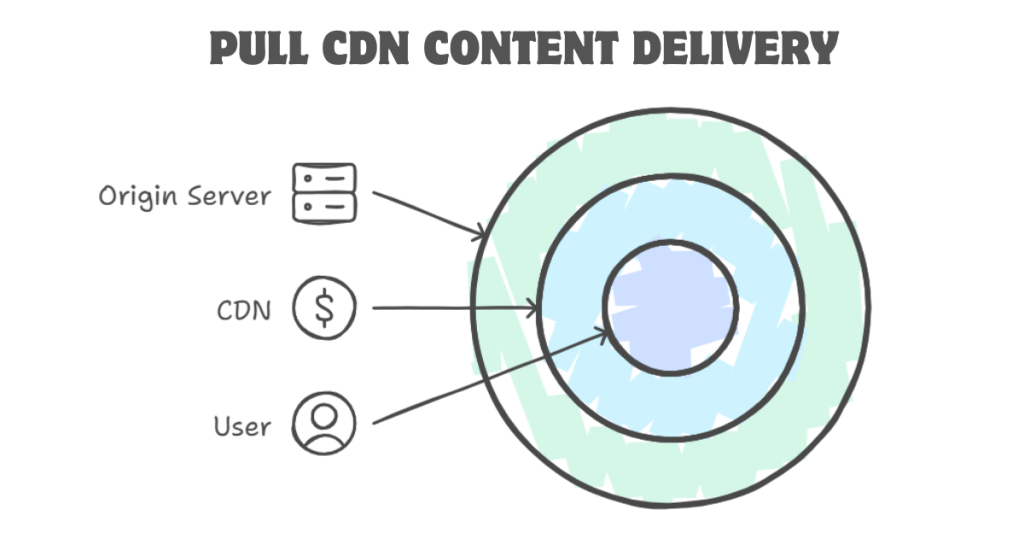
The content delivery process starts with your website’s origin server. This is where your site’s data is stored. When a user requests a page, the CDN steps in. It checks if the content is stored on a nearby server. If it is, the CDN serves the content from that server. This is faster than serving from the origin server, which might be far away. If the content is not on the nearby server, the CDN fetches it from the origin server and stores it for future requests.
CDN Servers And Nodes
CDN servers, also known as nodes, are spread across various locations. These nodes are strategically placed to cover large geographical areas. They store cached content, which is a copy of your website’s data. When a user makes a request, the nearest node delivers the content. This reduces the distance data has to travel. As a result, load times are shorter.
Each node in a CDN is part of a global network. This network ensures your content is always available. Even if one node goes down, others can take over. This redundancy makes CDNs reliable. They provide a seamless experience for users, no matter where they are.
Benefits Of Using A CDN
Using a Content Delivery Network (CDN) for web hosting comes with many benefits. CDNs help distribute your content across different servers worldwide. This enhances your website’s performance and security. Let’s explore some key benefits of using a CDN.
Improved Load Times
CDNs reduce the distance data travels. They store copies of your site on multiple servers. These servers are in different locations. When a user visits your site, the CDN delivers content from the nearest server. This reduces load times significantly.
Faster load times improve user experience. They also reduce bounce rates. Users are more likely to stay on a fast-loading site. Search engines favor faster websites. This can improve your site’s ranking.
Enhanced Security
CDNs offer additional layers of security. They protect your site from DDoS attacks. A CDN can absorb the traffic from such attacks. This keeps your site online and running smoothly.
CDNs also provide SSL encryption. This secures data transfers between your site and users. It protects sensitive information. This builds trust with your users.
Many CDNs have built-in firewalls. These firewalls block malicious traffic. They prevent unauthorized access to your site. This enhances your site’s overall security.
Types Of CDN
Content Delivery Networks (CDNs) are essential for fast and reliable web hosting. There are different types of CDNs. Each type serves a unique purpose. Understanding these types can help you choose the best CDN for your needs.
Push CDNs
Push CDNs work by pushing your content to different servers. This happens manually. You upload your files to the CDN’s servers. The CDN then distributes the content to various nodes.
This method is best for large files. Examples include videos and software downloads. Push CDNs offer more control over your content. You decide when and what to update.
- Great for large, static files
- More control over updates
- Requires manual uploads
Pull CDNs
Pull CDNs work differently. Here, the CDN pulls content from your origin server. This happens automatically. When a user requests a file, the CDN fetches it from your server.
Pull CDNs are easier to manage. You don’t need to upload content manually. The CDN handles everything for you. This method is ideal for dynamic content. Examples include blogs and eCommerce sites.
- Automatic content fetching
- Ideal for dynamic websites
- Less manual work
Both types of CDNs have their pros and cons. Choose the one that fits your website’s needs.
Choosing The Right CDN Provider
Choosing the right CDN provider is crucial for your website’s performance. A CDN, or Content Delivery Network, helps deliver content to users quickly and efficiently. But with so many providers, how do you choose the best one? Here are some key features to consider and a look at popular CDN providers.
Key Features To Look For
When selecting a CDN provider, certain features are essential. Below are some of the key features to look for:
- Global Coverage: Ensure the provider has servers in regions where your audience is located.
- Performance: Check the provider’s speed and reliability through benchmarks and user reviews.
- Security: Look for features like DDoS protection and SSL certificates.
- Scalability: The CDN should handle traffic spikes without slowing down.
- Pricing: Understand the pricing structure to avoid unexpected costs.
- Support: Reliable customer support is vital for resolving issues quickly.
Popular CDN Providers
Here are some of the most popular CDN providers:
| Provider | Key Features |
|---|---|
| Cloudflare |
|
| Amazon CloudFront |
|
| Akamai |
|
| Fastly |
|
Choosing the right CDN provider depends on your specific needs. Evaluate the key features and popular providers to make an informed decision.
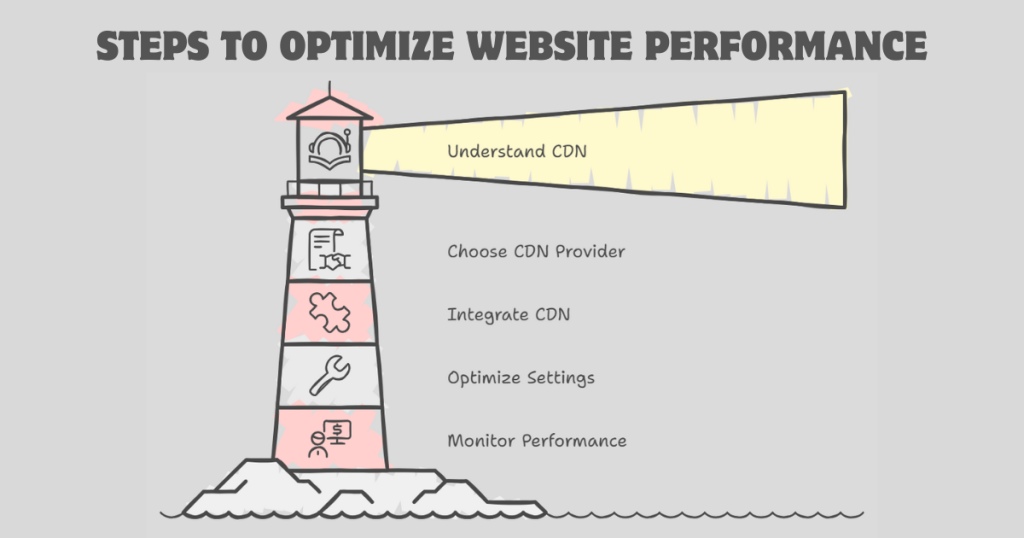
Setting Up Your CDN
Setting up a Content Delivery Network (CDN) can enhance your website’s speed. It distributes your content across multiple servers globally. This ensures fast delivery to users, no matter their location. Follow the steps below to integrate and configure your CDN effectively.
Integration With Your Website
Begin by choosing a CDN provider that suits your needs. Popular options include Cloudflare, Amazon CloudFront, and Akamai. Sign up for an account and get your CDN credentials. Next, log in to your website’s hosting control panel. Look for the CDN integration section. Enter the credentials provided by your CDN provider. Save the changes. Your website is now connected to the CDN.
Configuring CDN Settings
Navigate to your CDN provider’s dashboard. Locate the settings or configuration tab. You will find various options to optimize your CDN. Enable caching to store copies of your content on CDN servers. This reduces the load on your main server. Set up custom caching rules based on your content type. Enable compression to reduce file sizes for faster delivery. Set up SSL to ensure secure data transfer. Make sure to enable hotlink protection to prevent unauthorized use of your content.
Monitoring CDN Performance
Monitoring the performance of your CDN (Content Delivery Network) is crucial for ensuring fast and reliable content delivery. By keeping an eye on the performance, you can identify and fix issues promptly. This helps maintain a seamless user experience and supports your website’s overall health.
Tracking Metrics
To monitor CDN performance effectively, you need to track key metrics. These metrics provide insights into how well your CDN is performing. Important metrics include:
- Latency: The time it takes for data to travel from the server to the user.
- Throughput: The amount of data delivered over a network in a specific time frame.
- Cache Hit Ratio: The percentage of requests served by the cache versus the origin server.
- Error Rates: The number of failed requests or errors encountered by users.
Regularly tracking these metrics helps you understand CDN performance trends. This can guide you in making necessary adjustments to improve speed and reliability.
Analyzing CDN Reports
CDN providers offer detailed reports that help you analyze performance data. These reports often include:
| Report Type | Description |
|---|---|
| Traffic Reports | Show the amount and type of traffic served by the CDN. |
| Performance Reports | Provide data on latency, throughput, and cache hit ratios. |
| Error Reports | Highlight errors encountered, helping you diagnose issues. |
By analyzing these reports, you can identify patterns and potential problems. Look for trends in traffic spikes or dips. Pay attention to sudden increases in error rates. These insights can help you adjust your CDN configuration to optimize performance.
Effective monitoring of your CDN ensures that your content is delivered quickly and reliably. This enhances user experience and supports your website’s goals.
Common CDN Issues And Solutions
Content Delivery Networks (CDNs) play a crucial role in delivering web content quickly. Yet, even the best CDNs can face common issues. Below are some common CDN issues and their solutions.
Cache Purging Problems
Cache purging issues can slow down your site. Users may see outdated content. This happens when the CDN cache doesn’t update properly.
Solution: Ensure your CDN provider supports instant cache purging. Use API calls to purge specific content. Regularly check your cache settings.
Latency Issues
Latency can affect user experience. High latency means slow load times. This can happen due to server distance or poor configuration.
Solution:
- Use multiple CDN servers across different regions.
- Enable Gzip compression to reduce file size.
- Optimize your DNS settings for faster resolution.
By addressing these common issues, you can improve your CDN performance. This ensures a better experience for your users.
Future Of CDN Technology
The future of CDN (Content Delivery Network) technology is bright. CDN is evolving rapidly, helping websites and applications load faster. This is important for user experience and SEO. Let’s explore the emerging trends and the impact of 5G on CDN technology.
Emerging Trends
Several emerging trends are shaping the future of CDN technology:
- Edge Computing: CDN providers are moving content closer to users. This reduces latency and improves performance.
- Security Enhancements: CDNs are integrating advanced security features. This includes DDoS protection and data encryption.
- AI and Machine Learning: AI helps CDNs predict traffic patterns. This optimizes content delivery and enhances user experience.
- Serverless Computing: CDNs are offering serverless functions. This allows developers to run code at edge locations, reducing response times.
Impact Of 5g
The rollout of 5G networks is transforming CDN technology:
- Speed: 5G offers higher speeds, reducing content delivery times significantly.
- Low Latency: 5G reduces latency, making real-time applications more efficient.
- Increased Connectivity: More devices can connect simultaneously. This boosts CDN performance in high-traffic scenarios.
- Enhanced Media Streaming: 5G enables smoother streaming of high-definition and 4K content.
These advancements in CDN technology and the integration of 5G will lead to better, faster web experiences. Stay tuned for more updates on CDN technology.
Frequently Asked Questions
What Is CDN Web Hosting?
CDN web hosting uses a content delivery network to distribute your website’s data across multiple servers worldwide. This reduces latency and improves loading times for users, resulting in a better browsing experience.
How Does CDN Web Hosting Work?
CDN web hosting works by caching your website’s content on multiple servers globally. When a user accesses your site, the CDN delivers the content from the nearest server, ensuring faster load times.
Why Should I Use CDN Web Hosting?
Using CDN web hosting improves website performance and speeds up content delivery. It enhances user experience, reduces server load, and helps in managing traffic spikes efficiently.
Is CDN Web Hosting Secure?
Yes, CDN web hosting provides enhanced security features. It includes DDoS protection, secure data transfer, and improved threat detection, making your website safer from cyber attacks.
Conclusion
Choosing CDN web hosting can greatly improve your website’s performance. It ensures faster load times and better user experience. Visitors stay longer when pages load quickly. This can lead to higher engagement and more conversions. CDN web hosting also provides better security and reliability.
It’s a smart choice for any website owner. Make the switch today and see the difference. Your visitors will thank you.