
A website builder is a tool that lets anyone create a website. You don’t need to know coding or design skills to use it.
In today’s digital age, having a website is essential. It helps businesses, individuals, and organizations establish an online presence. But building a website from scratch can be daunting. This is where website builders come in. They offer user-friendly interfaces with drag-and-drop features.
You can easily add text, images, and other elements to your site. Many website builders also provide templates and themes. These help you start with a professional-looking design. Whether you’re a small business owner, a blogger, or just someone wanting a personal site, a website builder can simplify the process. It makes creating a website accessible to everyone.
Introduction To Website Builders
Building a website can seem like a daunting task. But not anymore. Website builders make it easy for anyone to create their own site. You don’t need coding skills or technical knowledge. Just follow simple steps, and you can have a website up and running.
Definition And Purpose
Website builders are tools that allow users to build websites without manual code editing. They offer a user-friendly interface, often with drag-and-drop features. This means you can design your site visually. No need to worry about HTML or CSS.
The main purpose of a website builder is to simplify the web creation process. It enables individuals and businesses to establish an online presence quickly. Whether you need a blog, an online store, or a portfolio, a website builder can help.
Benefits Of Using A Website Builder
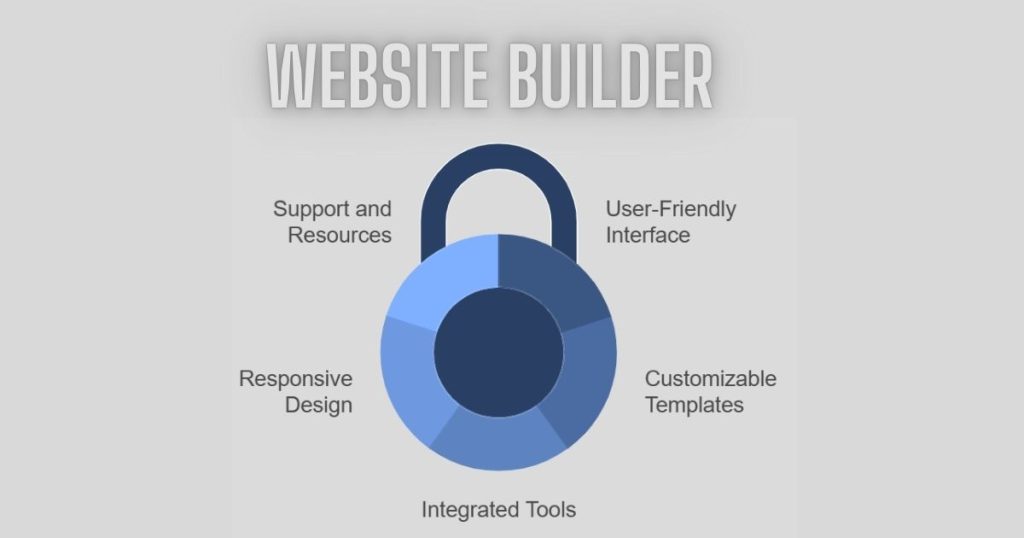
Using a website builder offers many advantages:
- Easy to Use: No coding skills required. Intuitive interfaces simplify the process.
- Cost-Effective: Many website builders offer free plans or affordable pricing.
- Quick Setup: Launch your website in minutes, not weeks.
- Customization: Choose from various templates and themes. Tailor your site to your needs.
- Responsive Design: Ensure your site looks good on all devices.
- Support and Resources: Access tutorials, customer support, and community forums.
These benefits make website builders a popular choice. They provide a practical solution for creating an online presence. Whether for personal or professional use, they are an excellent tool.
Types Of Website Builders
Website builders are tools that help you create websites without coding. They come in various types, each with its own set of features. Choosing the right type can significantly impact your website’s performance and user experience.
Online Vs Offline Builders
Online website builders work through a web browser. They don’t require downloads or installations. Examples include Wix and Squarespace. Users can access and edit their websites from any device with internet access. This makes them highly convenient.
Offline website builders require a software download. You build your website on your computer. Then, you upload it to the web host. Examples include Adobe Dreamweaver and Mobirise. These tools often offer more advanced features. They work even without an internet connection.
Open Source Vs Proprietary Builders
Open source website builders are free to use and modify. WordPress.org is a popular example. Users have complete control over their website’s code. This allows for extensive customization. However, they may need some technical knowledge.
Proprietary website builders are owned by a company. They typically charge a fee. Examples include Shopify and Weebly. These builders offer user-friendly interfaces and customer support. They often come with hosting services and templates.
Key Features To Look For
When choosing a website builder, it’s important to consider key features. These features will make the process easier and ensure a professional result. Let’s discuss some of the most important features to look for.
Drag-and-drop Functionality
A user-friendly website builder should include drag-and-drop functionality. This allows you to place elements on your site with ease. No coding skills are needed. You can move text, images, and other elements wherever you want. This makes the design process simple and intuitive.
Responsive Design Options
Responsive design is crucial for modern websites. Your site should look good on all devices. Whether visitors use a phone, tablet, or desktop, the experience should be seamless. A good website builder provides responsive design options. This ensures your site adjusts to different screen sizes automatically.
Top Website Builders In The Market
Choosing the right website builder is crucial for creating a successful online presence. With so many options, it can be overwhelming. This section will help you understand the top website builders available. We have categorized them into popular choices and specialized builders. This will help you find the right fit for your needs.
Popular Choices
Some website builders are well-known for their ease of use and versatility. These builders offer various features that cater to different needs.
Wix: Wix is a popular choice for beginners. It offers a drag-and-drop interface. You can choose from hundreds of templates. It also has an app market for additional features.
Squarespace: Squarespace is known for its beautiful designs. It is perfect for creatives like photographers and artists. The platform is user-friendly and offers strong customer support.
Weebly: Weebly is another simple and effective builder. It provides a drag-and-drop interface. It also offers e-commerce features for online stores.
Specialized Builders
Specialized builders focus on specific niches or advanced functionalities. These are great if you have unique requirements.
Shopify: Shopify is ideal for e-commerce. It helps you create an online store quickly. You can manage inventory, payments, and shipping. It is perfect for small to large businesses.
WordPress: WordPress offers unmatched flexibility. It is suitable for blogs, business sites, and more. It has thousands of plugins and themes. This allows you to customize your site extensively.
BigCommerce: BigCommerce is another excellent choice for online stores. It provides robust e-commerce tools. It supports large catalogs and integrates with various payment gateways.
Step-by-step Guide To Building A Website
Building a website might seem like a complex task. But with a website builder, it becomes simpler. Follow this step-by-step guide to create your own website.
Choosing A Platform
The first step in building your website is choosing a platform. Many platforms are available, such as WordPress, Wix, and Squarespace.
Consider these factors while choosing a platform:
- Ease of Use: Make sure the platform is user-friendly.
- Customizability: Check if you can easily customize your site.
- Pricing: Compare the costs of different platforms.
- Support: Ensure the platform offers good customer support.
Below is a table comparing three popular platforms:
| Platform | Ease of Use | Customizability | Pricing |
|---|---|---|---|
| WordPress | Medium | High | Varies |
| Wix | High | Medium | Monthly fee |
| Squarespace | High | Medium | Monthly fee |
Selecting A Template
Once you choose a platform, the next step is selecting a template. Templates are pre-designed layouts for your site.
- Browse Templates: Look at the available templates on your platform.
- Choose a Template: Pick a template that fits your website’s purpose.
- Preview: Preview the template to see how it looks live.
- Customize: Customize the template to match your brand.
Consider these points while selecting a template:
- Responsive Design: Ensure the template looks good on all devices.
- Layout: Choose a layout that is clean and easy to navigate.
- Features: Check if the template supports the features you need.
Choosing the right template is crucial. It sets the tone for your website.
Customizing Your Website
Customizing your website is an essential part of building an online presence. It allows you to create a unique look that reflects your brand. With website builders, customization is user-friendly and straightforward. You can change almost every element of your site.
Adding Content
Adding content is the first step in customizing your site. You can add text, images, and videos easily. Most website builders offer drag-and-drop features. This means you can move items around without any coding skills. You can also use pre-made templates to speed up the process.
Integrating Plugins And Tools
Integrating plugins and tools enhances your site’s functionality. Plugins add features like contact forms, social media buttons, and SEO tools. Most website builders have a plugin library. You can search and install plugins directly from your dashboard. Tools like Google Analytics help you track your site’s performance.
Optimizing Your Website
Creating a website is just the first step. To make it effective, you need to optimize it. This means improving its performance and visibility. Here, we will discuss some essential techniques for optimizing your website.
SEO Best Practices
Search Engine Optimization (SEO) is crucial. It helps your website rank higher in search results. Here are some best practices:
- Use relevant keywords in your content.
- Write clear meta descriptions for each page.
- Ensure all images have alt text.
- Use internal and external links wisely.
- Keep URLs short and descriptive.
Performance Enhancements
A fast website keeps visitors happy. Here are some tips for enhancing performance:
| Action | Benefit |
|---|---|
| Optimize images | Reduces load times |
| Minimize HTTP requests | Speeds up page loading |
| Use caching | Improves load speeds |
| Enable compression | Reduces file sizes |
| Reduce server response time | Enhances user experience |
By following these steps, you can ensure your website runs smoothly and ranks well. This will attract more visitors and improve user satisfaction.
Maintenance And Updates
Maintaining and updating a website is crucial for its smooth operation. A website builder simplifies this process. By offering user-friendly tools, it ensures your website remains current and efficient. Regular maintenance and updates are essential to keep your site secure and relevant.
Regular Checkups
Regular checkups help identify potential issues early. Just like a car needs regular servicing, a website needs routine inspections. This includes checking for broken links, outdated plugins, and security vulnerabilities. Regular checkups ensure your website functions properly.
Updating Content And Features
Updating content keeps your audience engaged. Fresh content attracts visitors and improves search engine rankings. It also reflects your business’s latest offerings and news. Adding new features can enhance user experience. It can make your website more interactive and useful.
Website builders simplify the process of adding new content and features. They often offer drag-and-drop functionality. This allows you to easily update pages without coding knowledge. Keeping your website updated ensures it remains relevant and engaging.
Common Challenges And Solutions
Website builders simplify creating websites but can pose challenges like limited customization. Opt for flexible templates to address this issue.
Building a website can be exciting. But it comes with challenges. Many people face issues while using a website builder. These problems can be frustrating. But there are solutions to help you overcome them.
Troubleshooting Issues
Website builders sometimes have technical glitches. Pages may load slowly. Or a feature might not work as expected. Clear your browser cache. This can solve many problems. Check your internet connection. A slow connection can cause issues. Update your browser. An old version might not be compatible. Look for help in the website builder’s support section. They often have FAQs and tutorials.
Seeking Professional Help
Some problems need expert help. If you can’t solve an issue, consider hiring a professional. Web developers and designers can fix complex problems. They can also enhance your website. Look for freelancers or agencies with good reviews. Many offer affordable rates for small tasks. This can save you time and stress.
Future Trends In Website Building
The future of website building looks promising. Rapid advancements in technology shape how websites are created. Several trends stand out, making the process easier and more efficient. These trends focus on automation, design, and user experience.
Ai And Automation
AI and automation play a big role in future website building. AI can help generate website content faster. It can also suggest design improvements. Automation tools reduce the need for manual coding. This makes the process quicker and more accessible. Builders can focus on creativity, not technical details. AI-driven analytics provide insights into user behavior. This helps improve website performance continuously.
New Design Trends
New design trends emphasize simplicity and user experience. Minimalist designs are gaining popularity. They focus on clean layouts and clear navigation. Mobile-first design is also crucial. More people use smartphones to browse the web. Websites must be responsive and fast-loading. Dark mode is another trend. It reduces eye strain and saves battery life. Custom animations and micro-interactions create engaging experiences. They make websites more interactive and enjoyable.
Frequently Asked Questions
What Is A Website Builder?
A website builder is a tool that allows users to create a website without coding. It offers templates and a drag-and-drop interface for easy customization.
How Do Website Builders Work?
Website builders work by providing pre-designed templates and a user-friendly interface. Users can drag and drop elements to customize their site.
Are Website Builders Free?
Many website builders offer free plans with basic features. However, premium plans with advanced options usually require a subscription.
Do I Need Coding Skills?
No, you don’t need coding skills to use a website builder. They are designed for ease of use with no coding required.
Conclusion
A website builder is a helpful tool for creating websites easily. It requires no coding skills, making it perfect for beginners. With user-friendly features, anyone can design a professional-looking site. Templates and drag-and-drop options simplify the process. Website builders save time and money.
They offer customization, ensuring your site stands out. Whether for personal or business use, a website builder is a smart choice. Start your online journey today with a reliable website builder. Your website dreams are now within reach.