
Online safety means protecting yourself on the internet. This involves keeping your personal information secure and avoiding harmful content.
In today’s digital age, being online is a part of daily life. We shop, work, and connect with others through the internet. But with these conveniences come risks. Hackers, scammers, and malicious websites are always looking for victims. Knowing how to stay safe online is crucial.
This guide will help you understand the basics of online safety. You will learn about common threats and how to avoid them. Let’s dive into the world of online safety and learn how to protect ourselves.
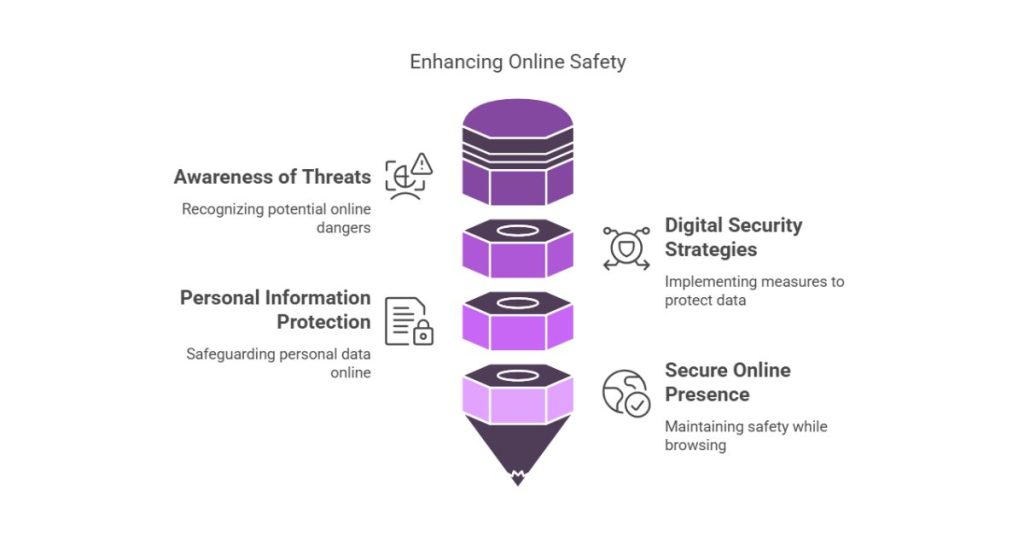
Introduction To Online Safety
In today’s digital age, online safety is crucial. With increased internet use, it’s vital to protect personal information. Understanding online safety helps guard against risks and threats.
Importance Of Digital Security
Digital security keeps your data safe. It prevents unauthorized access and misuse. Personal details, financial information, and private communications need protection. Strong security measures create a safe online environment. They ensure your information remains confidential.
Common Online Threats
Online threats are prevalent. They can harm your devices and steal your data. Common threats include viruses, malware, and phishing scams. Viruses can damage files and slow down your computer. Malware steals sensitive information without your knowledge. Phishing scams trick you into revealing personal details. Recognizing these threats is the first step to staying safe. Use antivirus software and stay cautious online.
Strong Password Practices
Strong Password Practices are essential for maintaining your online safety. A strong password acts as the first line of defense against cyber threats. This section will guide you on how to create secure passwords and the benefits of using password managers.
Creating Secure Passwords
Creating a secure password is crucial. A strong password should be at least 12 characters long. It should include a mix of uppercase and lowercase letters, numbers, and special characters.
- Use a combination of letters, numbers, and symbols.
- Avoid using easily guessable information like your name or birthdate.
- Do not use common words or simple number sequences like “123456”.
Using Password Managers
Password managers help you store and manage your passwords securely. They generate strong passwords and remember them for you. This means you only need to remember one master password.
- Securely store all your passwords in one place.
- Generate complex passwords for different accounts.
- Automatically fill in login information on websites.
Here is a comparison table of some popular password managers:
| Password Manager | Features | Price |
|---|---|---|
| LastPass | Secure storage, password generator, autofill | Free/Paid |
| 1Password | Secure storage, password generator, family sharing | Paid |
| Dashlane | Secure storage, dark web monitoring, VPN | Paid |
Remember to regularly update your passwords and use a unique password for each account. By following these strong password practices, you can significantly enhance your online safety.
Two-factor Authentication
Two-Factor Authentication (2FA) is a security measure for online accounts. It adds an extra layer of protection. This method requires two forms of identification to access an account. It boosts security and keeps personal information safe.
Benefits Of Two-factor Authentication
Two-Factor Authentication enhances security. Even if someone knows your password, they need a second form of ID. This could be a code sent to your phone. Or it could be a fingerprint scan. It makes it harder for hackers to access your account.
2FA also reduces the risk of identity theft. Hackers can’t use stolen passwords alone to access your accounts. This keeps your personal data secure.
2FA is simple to use. Many services offer it for free. It provides peace of mind. You know your accounts are better protected.
Setting Up Two-factor Authentication
Setting up 2FA is easy. First, log into your account. Go to the security settings. Look for Two-Factor Authentication or similar options.
Choose your second form of ID. This could be a phone number for SMS codes. Or it could be an authentication app. Follow the instructions to link your account with this second form of ID.
After setup, test it. Log out and then log back in. You should receive a code or prompt. Enter the code or complete the prompt. Your account is now more secure.
Safe Browsing Habits
Safe browsing habits are essential for protecting personal information online. By practicing safe browsing, you can avoid threats and enjoy a secure online experience. Below, we will discuss two key aspects of safe browsing habits: recognizing secure websites and avoiding phishing scams.
Recognizing Secure Websites
Secure websites protect your data during online transactions. Look for “https” in the URL. The “s” stands for secure. A padlock icon in the address bar also indicates a secure site. These symbols mean the site uses encryption to protect your information. Avoid sites that lack these indicators.
Another way to verify a website’s security is to check the site’s certificate. Click the padlock icon to view the certificate details. Ensure the certificate is valid and issued by a trusted authority. If the certificate is expired or invalid, do not enter any personal information.
Avoiding Phishing Scams
Phishing scams trick users into giving away personal information. They often come as fake emails or websites. Be cautious of emails that ask for personal details. Verify the sender’s email address. Legitimate companies do not ask for sensitive information via email.
Phishing websites often mimic real websites. Carefully check the URL for any misspellings or unusual characters. If unsure, visit the official site directly by typing the URL in your browser. Avoid clicking on suspicious links in emails or messages.
Use updated antivirus software to detect and block phishing attempts. Regularly update your browser to protect against new threats. Being vigilant and cautious online can help you avoid falling victim to phishing scams.
Protecting Personal Information
Protecting personal information is crucial in the digital age. This means keeping your data safe from hackers and other malicious entities. By taking steps to protect your information, you can prevent identity theft and other online threats. Let’s explore some effective strategies to safeguard your personal information online.
Limiting Data Sharing
Be careful about the information you share online. Avoid giving out personal details on social media or untrusted websites. Only share your data with reputable sources. Always question why a website needs your information before providing it. Less shared data means less risk.
Using Privacy Settings
Adjust privacy settings on your devices and accounts. This helps control who sees your information. Most social media platforms allow you to customize privacy settings. Set your profile to private or friends-only. Review and update these settings regularly. This simple step can protect your data from prying eyes.
Securing Devices
Securing your devices is essential for online safety. By protecting your devices, you keep your personal information safe. This section will guide you through important steps to secure your devices.
Updating Software
Updating software is crucial. Software updates fix security vulnerabilities. They also improve your device’s performance. Here are some tips:
- Enable automatic updates.
- Check for updates regularly if automatic updates are unavailable.
- Update all software, not just the operating system.
Using Antivirus Programs
Antivirus programs protect your devices from malware. They scan for and remove threats. Follow these steps to use antivirus programs effectively:
- Choose a reputable antivirus program.
- Install and activate the antivirus software.
- Regularly update the antivirus definitions.
- Schedule regular system scans.
| Antivirus Program | Features |
|---|---|
| Norton | Real-time protection, firewall, VPN |
| McAfee | Web protection, identity theft protection |
| Avast | Ransomware protection, Wi-Fi inspector |
Remember, securing your devices is a continuous process. Stay vigilant and proactive to keep your devices safe.
Social Media Safety
Social media platforms have become an essential part of our daily lives. They help us connect, share, and engage with others globally. But with these benefits come risks. It’s crucial to stay safe on social media. Protecting your personal information and being mindful of your online interactions is vital.
Managing Privacy Settings
Privacy settings are your first line of defense on social media. They control who can see your posts and personal details. Here’s how to manage them effectively:
- Check your privacy settings regularly. Social media platforms update their policies often.
- Limit who can see your posts. Choose options like “Friends” instead of “Public”.
- Control who can send you friend requests. This reduces unwanted interactions.
- Review tagged photos and posts. Ensure you’re comfortable with what’s shared about you.
By adjusting these settings, you can better protect your personal information and maintain control over your online presence.
Being Cautious With Friend Requests
Not every friend request is genuine. Some may come from fake profiles or people with bad intentions. Here are some tips to stay safe:
- Verify the profile. Check if they have mutual friends or authentic posts.
- Be cautious of strangers. If you don’t know the person, think twice before accepting.
- Avoid sharing personal information with new friends immediately.
- Report suspicious profiles. Most platforms have an option to report fake accounts.
Being selective with your friend requests can prevent many potential problems. Stay safe and enjoy your social media experience.
Safe Online Transactions
Safe online transactions are crucial for protecting your financial information. Many people shop online for convenience. But it’s essential to ensure your transactions are secure. This section will guide you through safe online transaction practices.
Using Secure Payment Methods
Always use secure payment methods. Credit cards often provide extra protection. They can help you dispute fraudulent charges. Avoid using debit cards for online shopping. They are directly linked to your bank account. Another option is using secure payment services like PayPal. These services add an extra layer of security.
Recognizing Fraudulent Websites
Recognize fraudulent websites to protect your information. Look for a padlock symbol in the address bar. It means the site uses encryption. The web address should start with “https://”. The “s” stands for secure. Be cautious of deals that seem too good to be true. They might be scams. Check for spelling and grammatical errors on the site. Legitimate sites are usually professional. Read online reviews about the website. They can provide insights into its trustworthiness.
Children’s Online Safety
The internet is a vast resource. It offers endless learning opportunities for children. But it also poses various risks. Ensuring children’s online safety is vital. Parents and guardians must take proactive steps to protect their kids online.
Monitoring Online Activity
Monitoring your child’s online activity can safeguard them from potential harm. Use parental control software to track their internet use. This software can block inappropriate content and limit screen time.
Additionally, keep computers and devices in common areas. This lets you easily observe your child’s online interactions. Encourage them to share their online experiences with you. Build trust. They should feel comfortable coming to you with any online concerns.
Educating About Online Risks
Teaching kids about online risks is crucial. Explain the dangers of sharing personal information. Tell them not to share their full name, address, or phone number.
Discuss the importance of strong passwords. Teach them to create unique passwords for different accounts. Emphasize the need to keep these passwords private.
Warn them about online predators. Explain that not everyone online is who they claim to be. Encourage them to avoid talking to strangers online.
Help them recognize cyberbullying. Encourage them to report any bullying to you or a trusted adult. Teach them to be kind and respectful in their online interactions.
Responding To Security Breaches
Online safety is a top concern for everyone. Yet, sometimes, things go wrong. Security breaches can happen. Knowing how to respond is crucial. This section will guide you through it.
Identifying Breaches
The first step is to spot the problem. Look for unusual activity. Check for unknown logins or strange changes in data. Pay attention to alerts from security software. These signs can indicate a breach.
Taking Immediate Action
Once a breach is identified, act fast. First, disconnect the affected systems. This stops the spread of the breach. Next, change all passwords. Make sure they are strong and unique. Then, inform your team. Everyone needs to know what happened.
After that, check for damage. See what information was accessed. Contact any affected parties. They deserve to know about the risk. Finally, review and update your security measures. Learn from the breach to prevent future issues.
Frequently Asked Questions
What Is Online Safety?
Online safety refers to practices and tools that protect users from digital threats. It involves safeguarding personal information, avoiding scams, and maintaining privacy while using the internet.
Why Is Online Safety Important?
Online safety is crucial to prevent identity theft, data breaches, and cyberbullying. It helps protect your sensitive information and ensures a secure digital experience.
How Can I Stay Safe Online?
You can stay safe online by using strong passwords, enabling two-factor authentication, and avoiding suspicious links. Regularly updating your software also enhances security.
What Are Common Online Threats?
Common online threats include phishing scams, malware, ransomware, and identity theft. These threats can compromise your personal data and financial security.
Conclusion
Staying safe online is crucial in today’s digital world. Protect your personal information. Use strong passwords and update them regularly. Be cautious with emails and links. Secure your devices with antivirus software. Educate yourself and your family about online dangers.
Online safety habits can prevent many issues. Practice these tips daily. Stay informed and vigilant. Your online safety matters.